Skip to content
  • There are no suggestions because the search field is empty.

📄About Stamp Cards

This article covers an introduction to Stamp Cards/Bepoz prize promotions in Myplace.

Prize Promotions are a loyalty feature that issues vouchers, when a set quantity of products are purchased

  • Prerequisites
    • To access and edit the "Stamp Card" setup:
      • Marketing Role Prilveges will need to be enabled
        • Privilege Flags: "Marketing"

        Prize Promotions
      • Prize Promotions are a way to reward loyal customers of the venue and app. It can increase the number of regular customers as it invites individuals back to the venue
      • Prize Promotions are assigned to a single venue. This means with multi-venue Myplace apps, any progress on a stamp card at one venue will not carry over to another venue on the app. They will have separate progressions.
      • Prize Promotions consist of two Bepoz components:
        • Provides a quantity amount that needs to be reached before a voucher is rewarded
        • The reward that a customer will receive after reaching the quantity amount
        • Vouchers
          • A linked voucher from Bepoz
        • Prize Promotion
        • Vouchers
        • and a Myplace component:
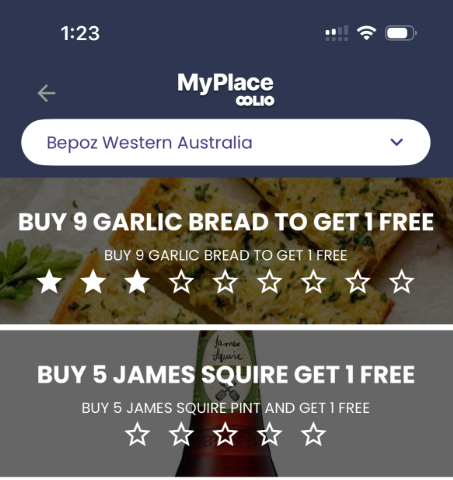
      • On the app, there is a screen designed for stamp cards
        • It will display all available stamp cards per venue. Changing venue will display the different purchase total accrued at each venue


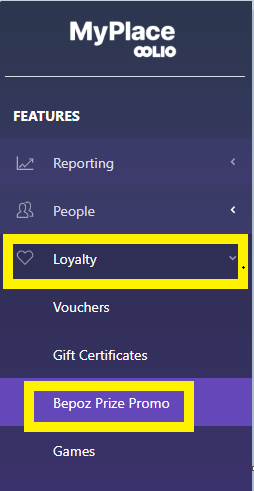
      • To access Prize Promotion configuration, firstly, log in to Myplace Backpanel. On the menu sidebar, click "Loyalty" and then "Bepoz Prize Promotion". 
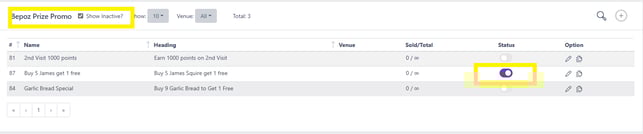
      • Prize promotion can be created and edited via the list seen below 
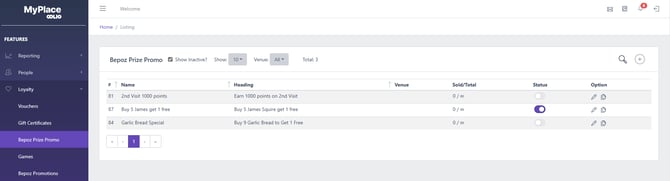


        Function Description
        Show inactive? flag                                                                
        • This flag allows viewing of inactive and active stamp cards
        • ON: All stamp cards will appear in the list, including inactive ones. Users can change the stamp card status to an active when this is on
        • OFF: Only active stamp cards are shown. The ones on this list will appear in the app
        Show and Venue
        • Two options to filter the stamp card list.
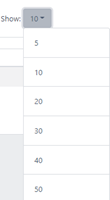
        • Show: Filters the number of stamp cards that will display based on the selection. Clicking this will open a dropdown where users can select the amount to appear. 


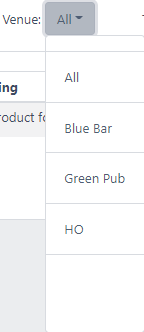
        • Venue:  Filters the stamp card list based on the selected venue.
          • If 'All' is selected then stamp cards from every venue will be listed


        Order icon 
        • Users can manually change the order of stamp cards. The order will reflect on the app, stamp card screen
        • When the icon is clicked a new page will appear.
          • Drop and Drag the stamp cards to the desired order and click save and exit

         Search Icon 
        • When the icon is clicked, a search bar will appear for users to find specific stamp cards.
        • As the user enters characters in the search bar the list will display the tags that match the sequence
        Add Icon   
        • This icon is used to add a new stamp card
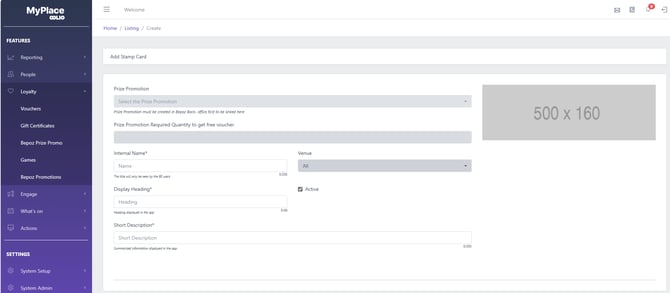
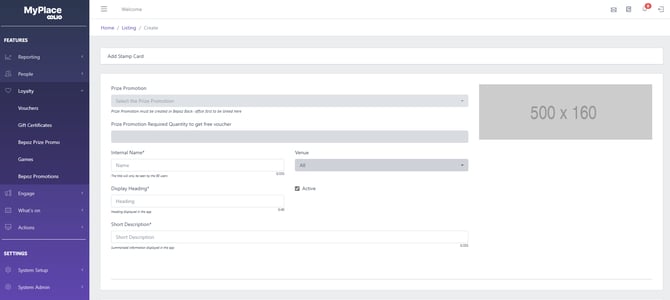
        • Clicking this icon will open the 'Add Stamp Card' page with empty fields


        #
        • A unique ID number
        Name
        • A custom title for the stamp card that is used internally in Myplace. This title not appear on the app
        • Applied when a new stamp card is created and can be edited 
        Heading
        • A custom label that is displayed on the app with the stamp card
        • Applied when a new stamp card is created and can be edited 


        Venue
        • The associated venue where the stamp card will apply
        • Stamp cards can be assigned to all venues in the Myplace app 
        Status
        • A toggle to enable/disable a stamp card
        • ON (Purple): prize Promotion is active
          • It can be used/viewed in the Myplace app
        OFF (Grey): Prize Promotion is inactive.
        • The stamp card will be removed from the list and can only be viewed if the "Shows inactive" flag is ON
        •  It cannot be used in Myplace and will not display on the app.


        Option
        • Edit prize Promo :  Clicking on any individual listing will open the update stamp card page, where users can configure the setting of existing Prize Promotion 


        • Duplicate Icon  : Used to copy an existing stamp card and create an identical one
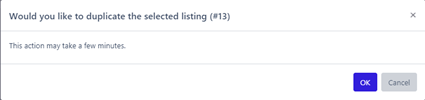

        • When this is pressed a prompt will appear


        • Clicking OK will create a duplicate and users will be moved to an 'update stamp card' page with the fields prefilled
        • The new duplicate will appear on the list