
Overview
This report compares the actual cost price that was paid for Product/s against an agreed price.
The report will also display the lowest Product price for all Suppliers for the Product/s.
Note: This report is available from v4.7+.
Prerequisites
- To access Actual Vs Agreed Cost Report Settings, the applicable Operator Privileges will need to be enabled
- Operator Maintenance 'Reporting' Tab
- Other Reports: "Allow Analysis Reports" Flag
Reporting Views
"_Standard" View
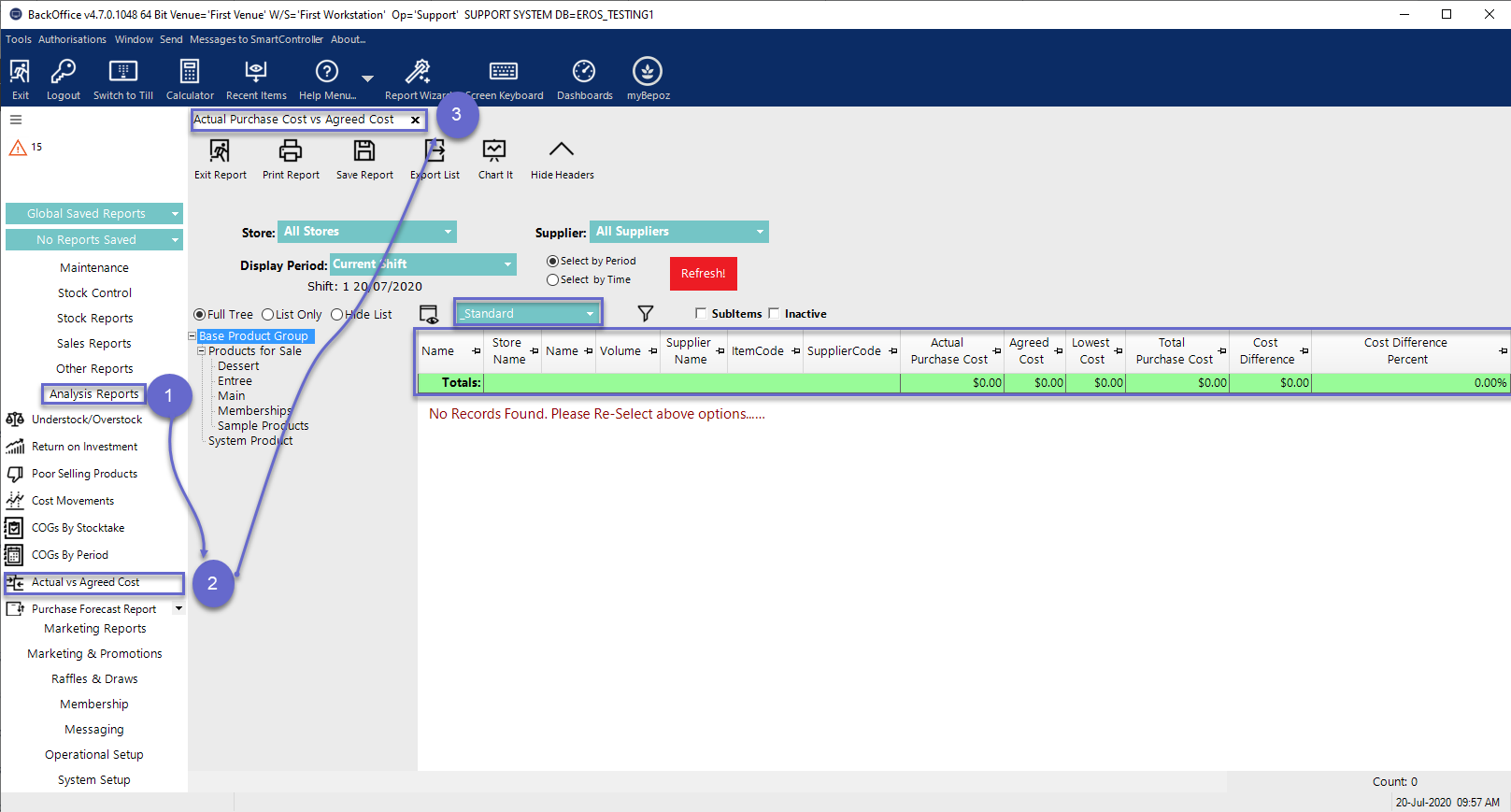
- The Standard View of the Actual Vs Agreed Cost Report includes the following data columns by default:
Column Heading |
Description |
| Product Name | This column displays the Bepoz Product Name |
| Item Volume | This column displays the Product Size/Volume |
| Supplier | This column displays the current Preferred Supplier for the Product in the Bepoz database |
| Supplier Code | This column displays the Supplier code for the Product |
| Actual Purchase Cost | This column displays the purchase cost of the current CostEx value for the Product in the Bepoz database |
| Agreed Cost | This column displays the agreed product cost |
| Lowest Cost | This column displays the lowest available cost from the Supplier price book; the Lowest cost and Agreed cost can be the same or different based on the Venue Purchasing Policy setting |
| Total Purchase Cost | This column displays the total purchase cost |
| Purchase Difference Cost | This column displays the difference between the Actual Purchase cost and Agreed cost |
| Cost Difference Percent | This column displays the percentage of Purchase Difference cost value. |