
Overview
To assign a Product to a KeyMap from the Edit Product window, Operators first need to ensure that the KeyMap in which products are being added is in the correct KeySet. To do this, Click on the KeyMap Sets button in the Header Section of the KeyMap List Tab.
The Till or Workstation in which the Product are being added to will need to have the KeySet containing the KeyMap assigned to it.
Prerequisites
- To access KeyMap features, the applicable Operator Privileges will need to be enabled
- Products: "Maintain Keymap Settings" Flag
- Operator Maintenance 'Maintenance' Tab
Assigning a Product to a KeyMap from Edit Product Window
- To add a Product to a KeyMap from the Edit Product Window, Click on the Till KeyMap Status button in the Header Section of the Edit Product window
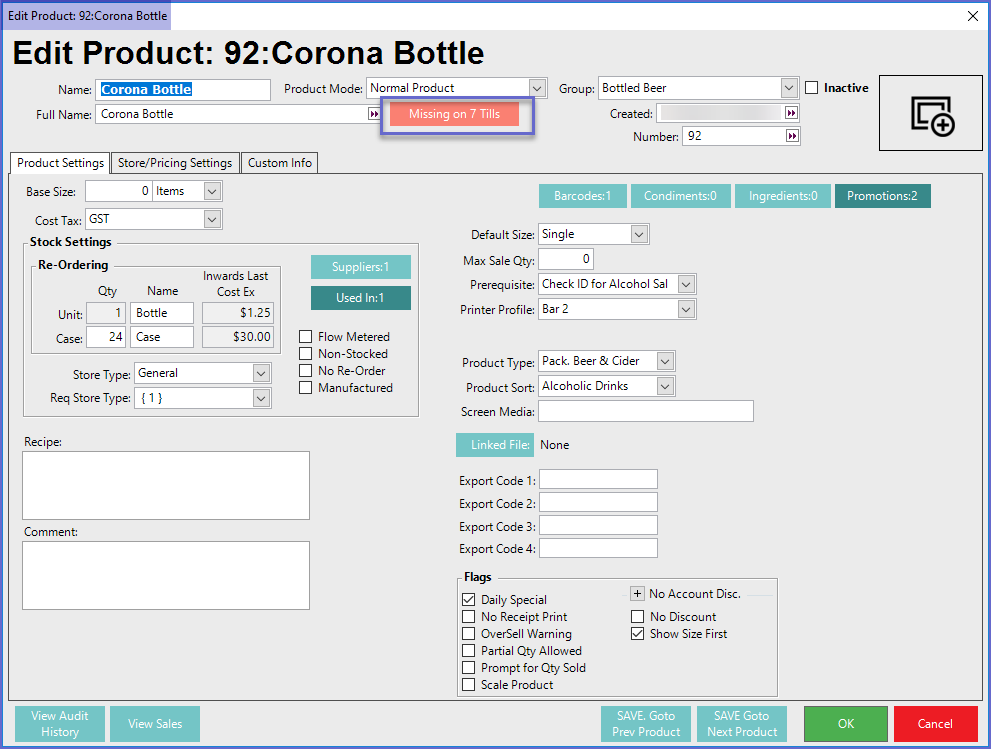
- After clicking on the Till KeyMap Status button, a new window will open titled Product On KeyMap List
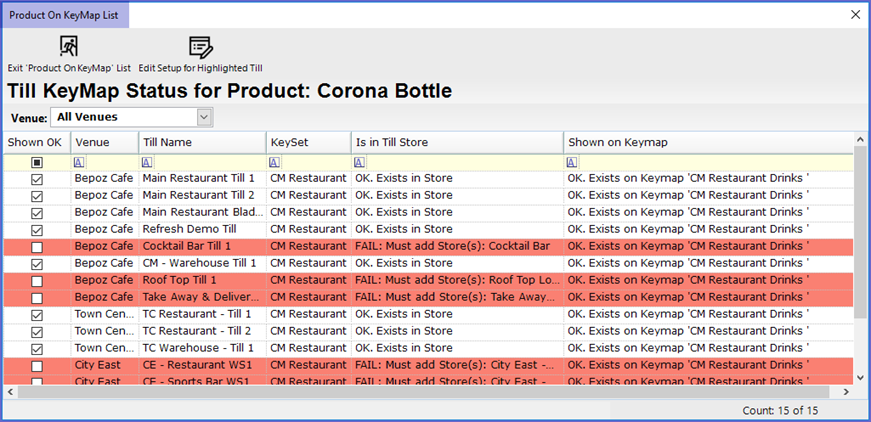
- From this window, Operators can narrow down the Workstations by Venue using the Venue drop-down selector
- Double-click the Workstation to which products need to be added
- If the KeyList assigned to that Workstation contains multiple KeyMaps, another window will open asking to select a KeyMap
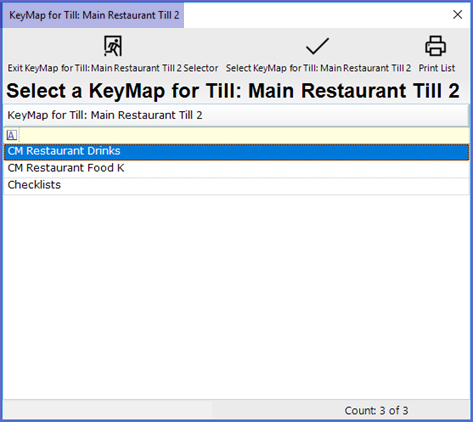
- Select the KeyMap which will open a new window containing the selected KeyMap; this will be identical to a KeyMap Tab
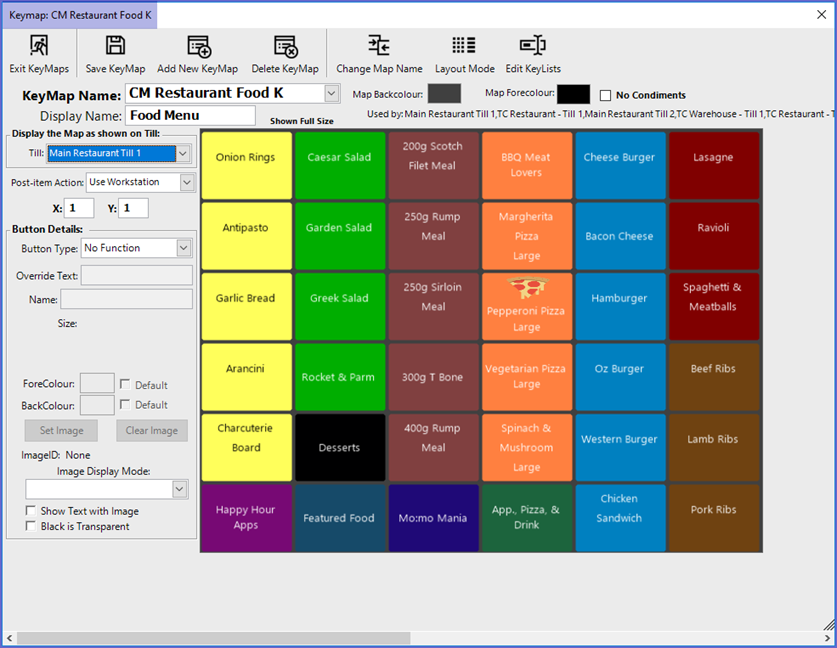
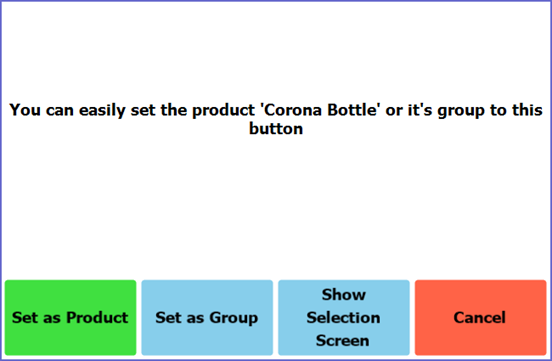
- Within this window, double-click on the Key Space where the Product button needs to be added which will open a window as shown below
- Operators can now Add the product to the KeyMap and change the button layout
- In this example, the Product was added to all of the Workstations because they all share the same KeySet which contains the KeyMap that the Product was added to
- If there are other KeySets which are assigned to additional Workstation/s, Operators will need to add the Product separately to those Workstations by following the same steps to add the Product to the appropriate KeyMaps