
Prerequisites
- To access Requisitions Settings, the applicable Operator Privileges will need to be enabled:
- All "Requisitions" Flags
- Operator Maintenance 'Stock Control' Tab
Getting Started
To begin, you will need to Create a New Requisition
- First select the Stock Control menu in BackOffice and then Requisitions which will open a new window
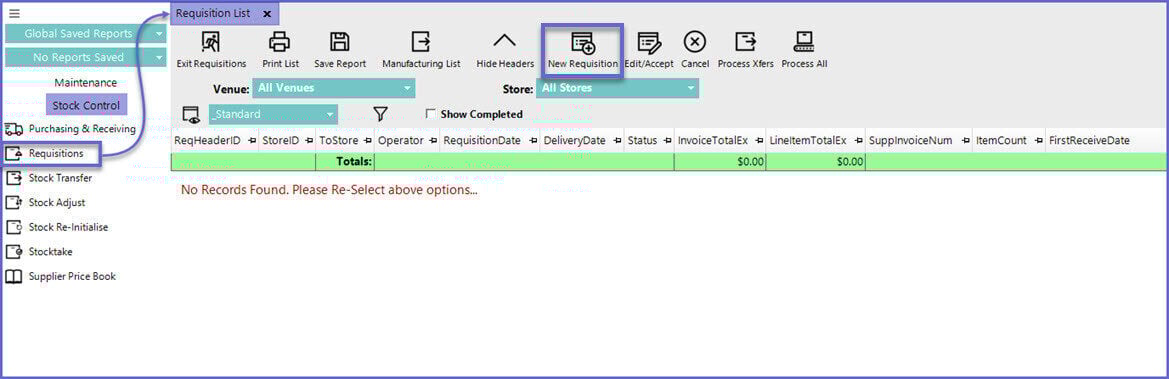
- Select the New Requisition button and select Blank Requisition
- Select the Import from File button and an Import Requisition Counts window will display
- Select Text File
- Select Continue
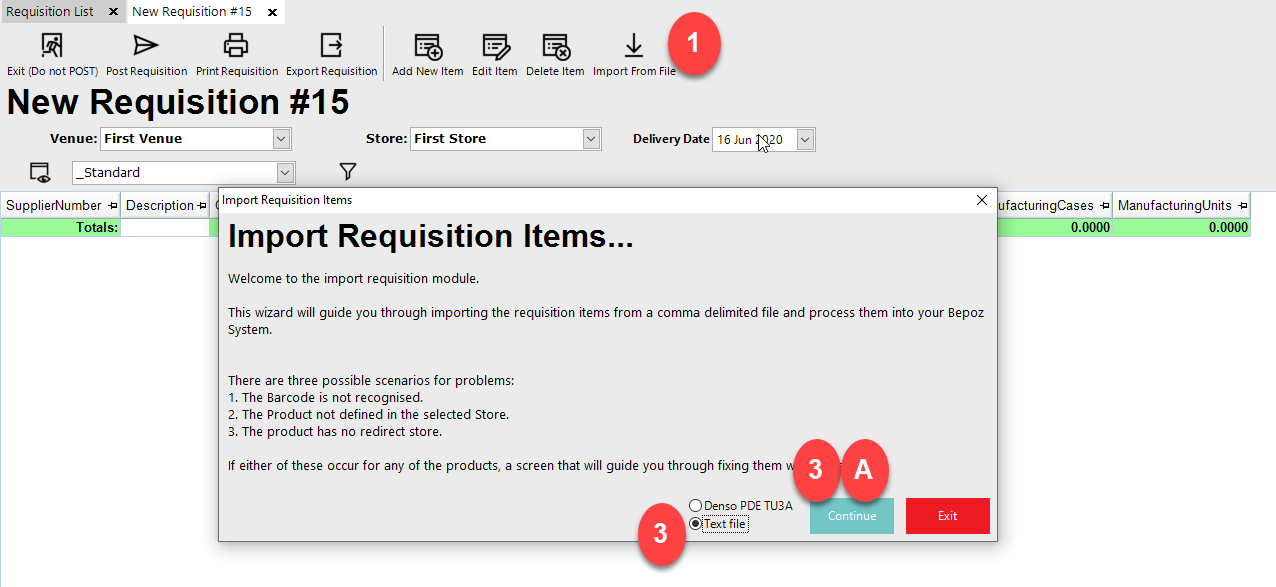
- 1. Select the
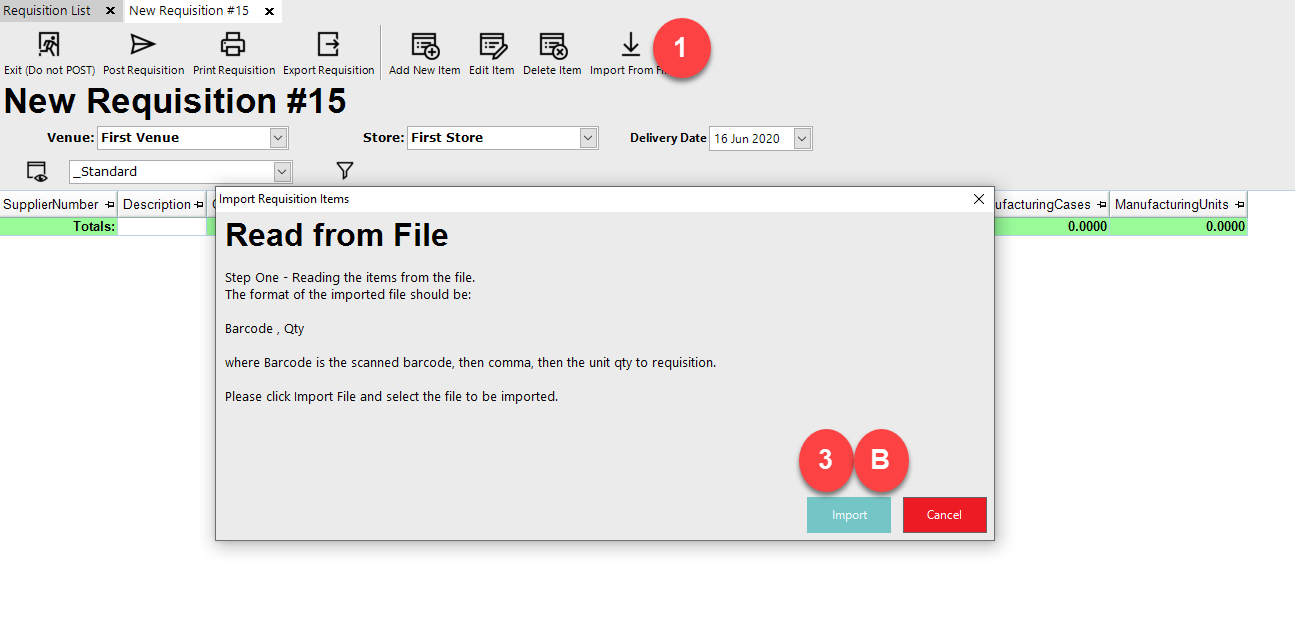
- 2. Select the file
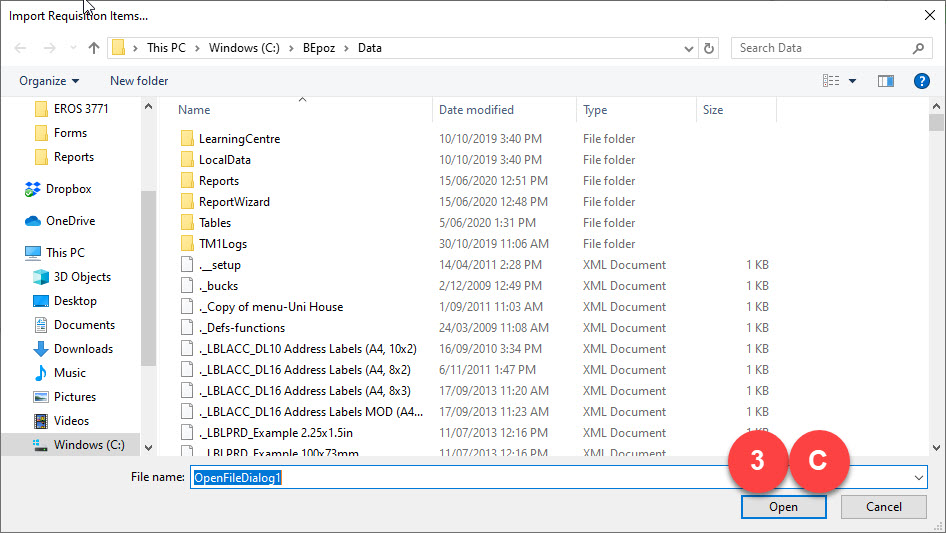
- Use the barcode to match the product and size in Bepoz and use the Qty value from the file to be the Qty to be used for the requisition for that product and size
