Overview
Printer Formats allows setting up configurations that determine the information that is Printed out of Remote Printers.
Prerequisites
- To access Printer Format Settings, the applicable Operator Privileges will need to be enabled
- Operator Maintenance 'General' Tab
- Operational Setup: "Maintain Printer Formats" Flag
Printer Formats
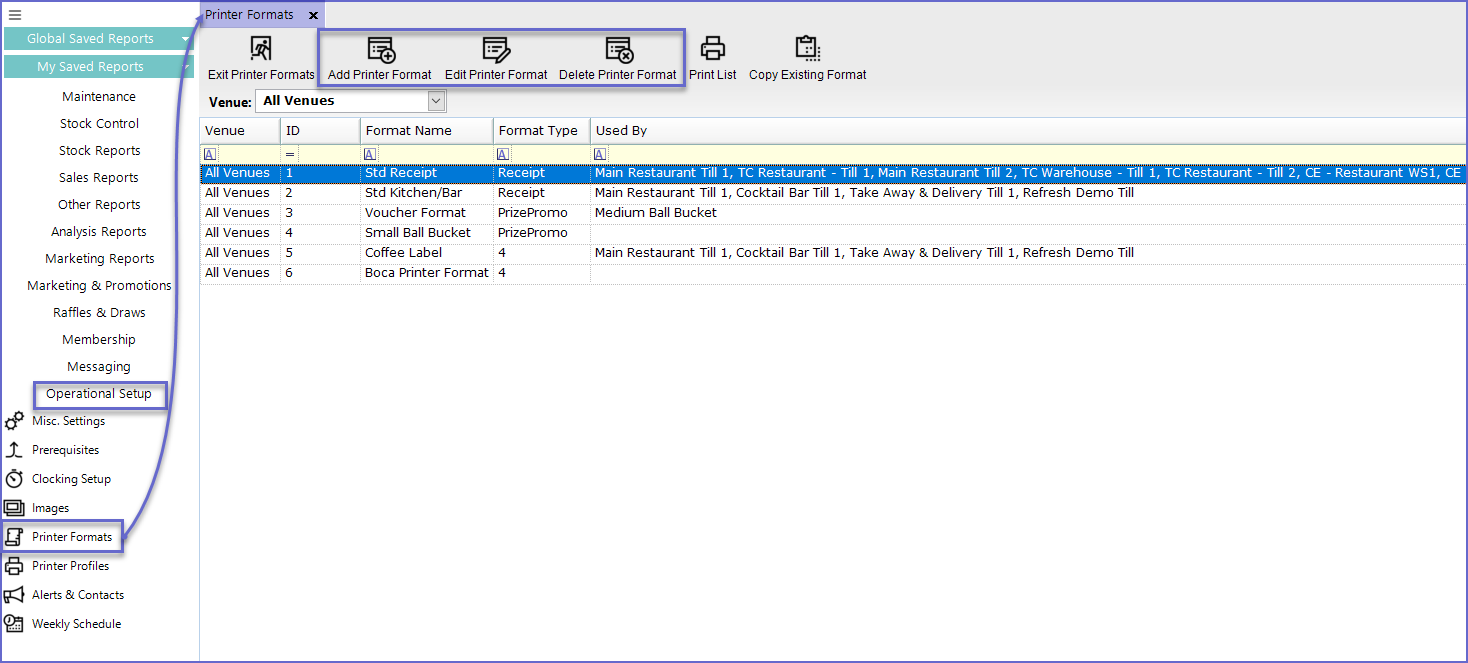
- To access and edit Printer Formats, navigate to the Operational Setup component in the side menu of BackOffice and select Printer Formats which will open a Printer Formats Window
- This tab contains a number of buttons which can be used for Adding Printer Formats, Editing & Maintaining Printer Formats and Deleting unrequired Printer Formats
- The tab will also list - either by Venue or All Venues - different Printer Formats and their Format Type
Adding Printer Formats
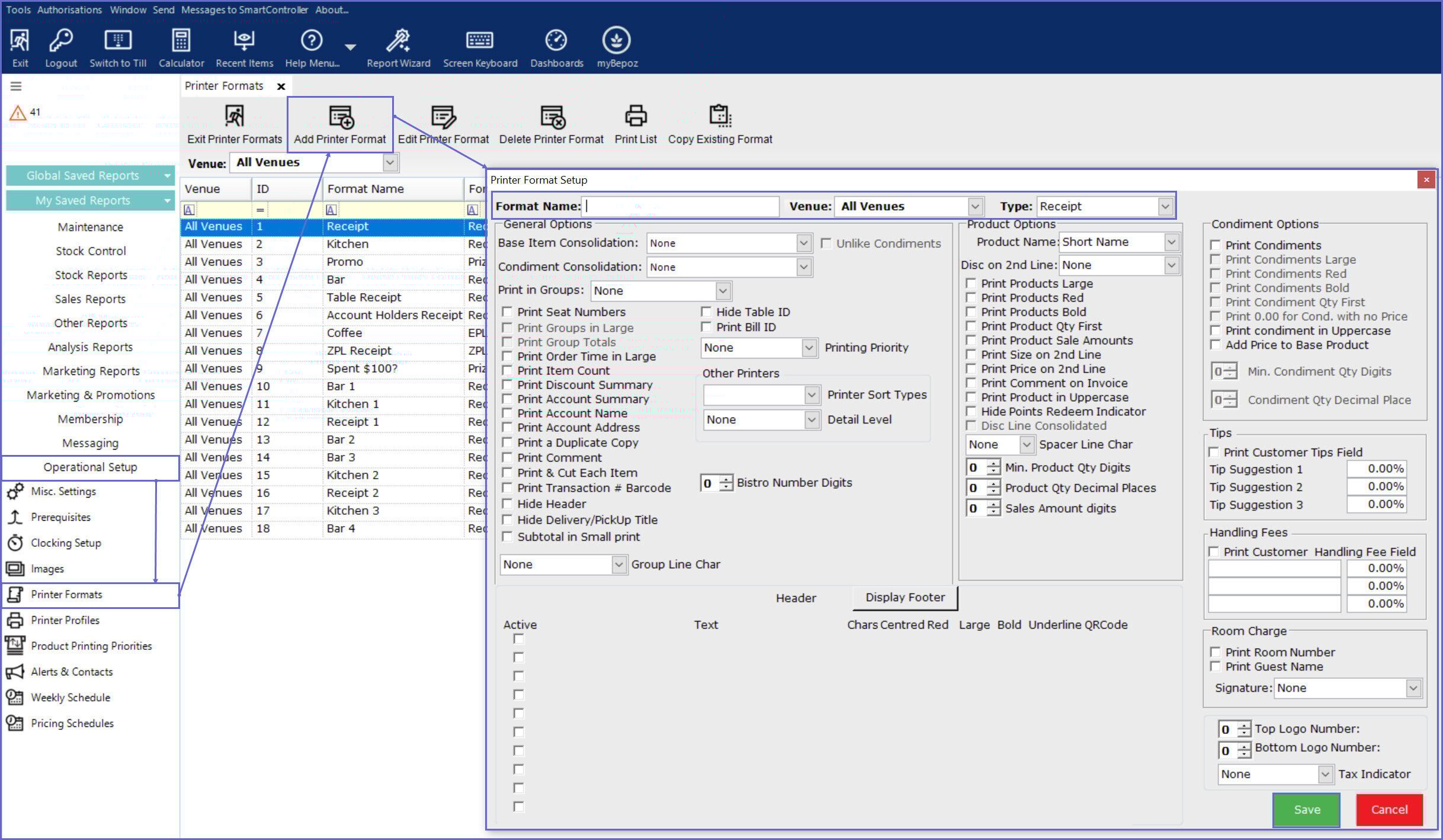
- To Add a new Printer Format, click on the 'Add Printer Format' button in the header which will open a Printer Format Setup window
- Type the Name for the Format, select a Venue or All Venues and select the Type
- The configuration options depend upon the Print Type selected
- After configuring as desired, select Save
Editing Printer Formats
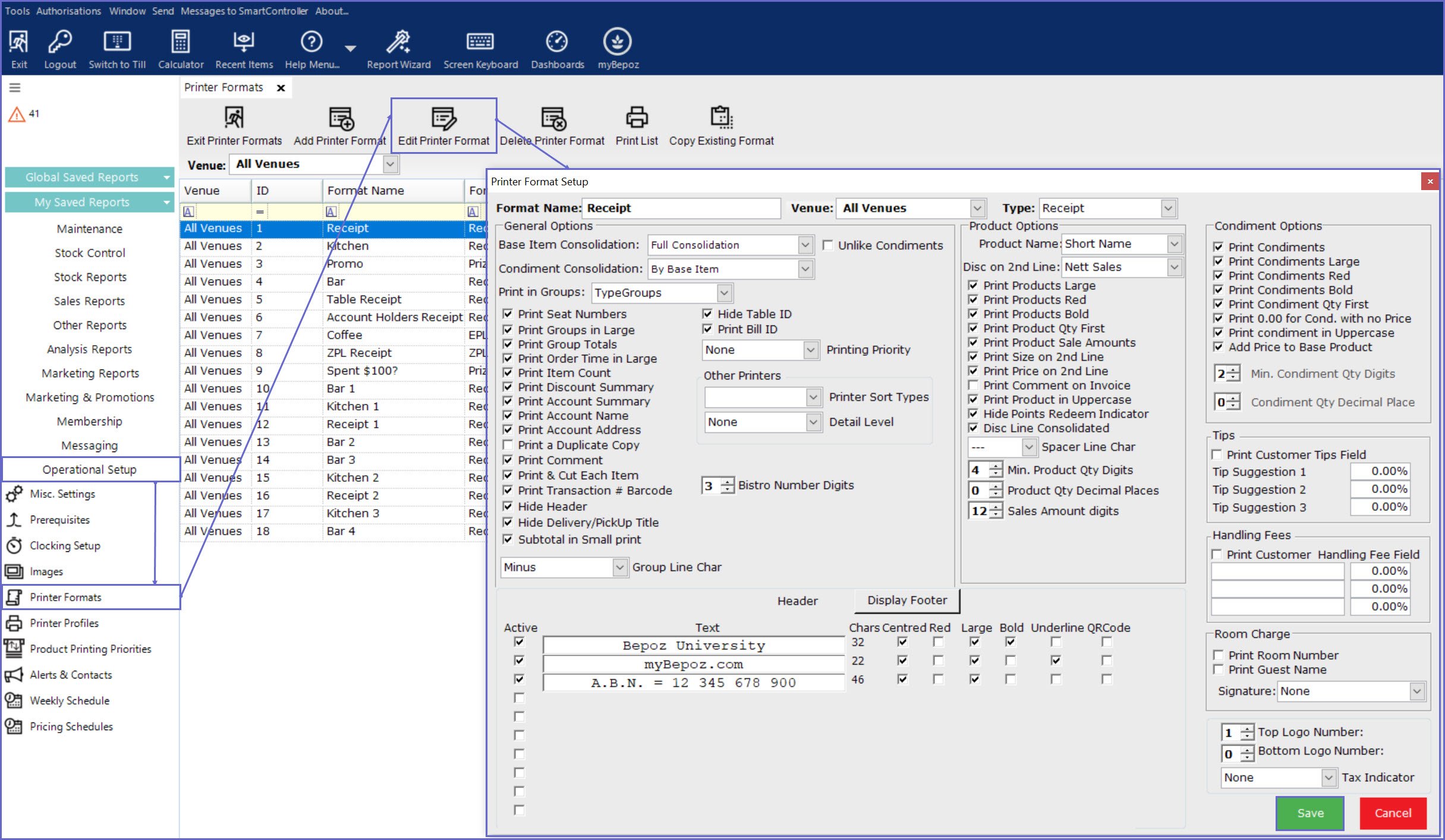
- To edit an existing Printer Format, highlight the desired Printer Format and Click on the 'Edit Printer Format' button on the header
- This will open the 'Printer Format Setup' window from where the Printer Format can be edited
- After configuring as desired, select Save
Deleting Printer Formats
- To delete a Printer Format, highlight the Format Name to be deleted and click on the 'Delete Printer Format' button
- Bepoz will not allow deleting the Printer Formats that are being used in Tills or Workstations
- If an Operator attempts the delete the Printer Format, it will display the following message:
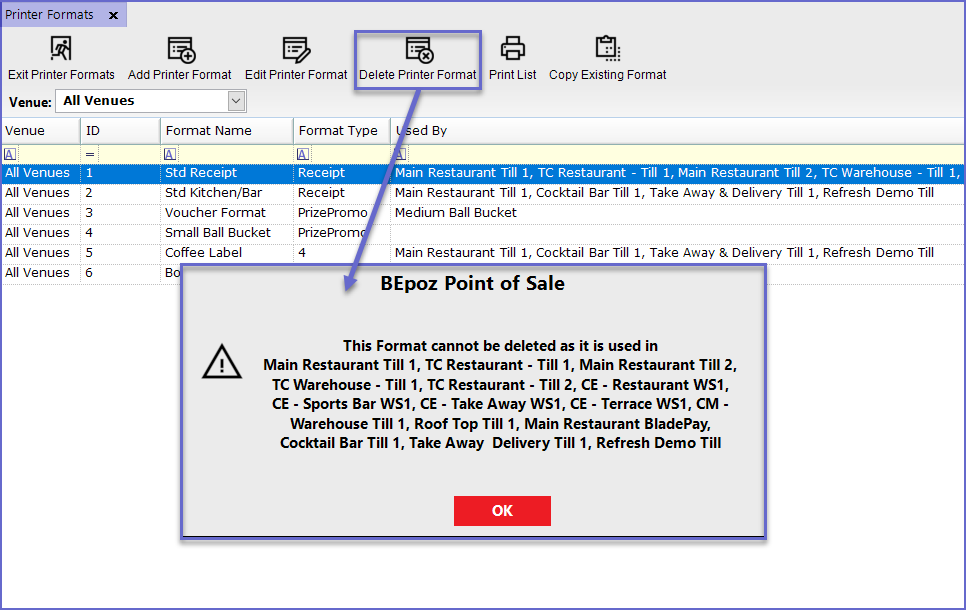
- To Delete the Printer Format, it should be disconnected from all Tills and Workstations
Printer Format Setups
In Workstation Maintenance
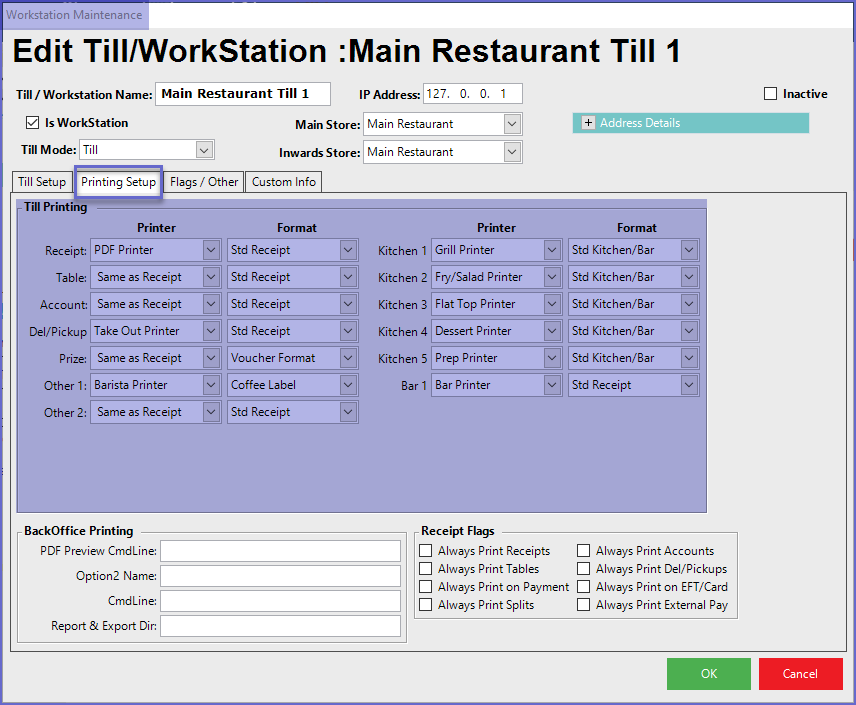
- Printer Formats can be set up for Products via Workstation Maintenance
- To do so, go to Workstation Maintenance > Printing Setup Tab
- This will open a page which provides various options to set up Printing Formats per each Printing situation
In Prize Promotion Maintenance
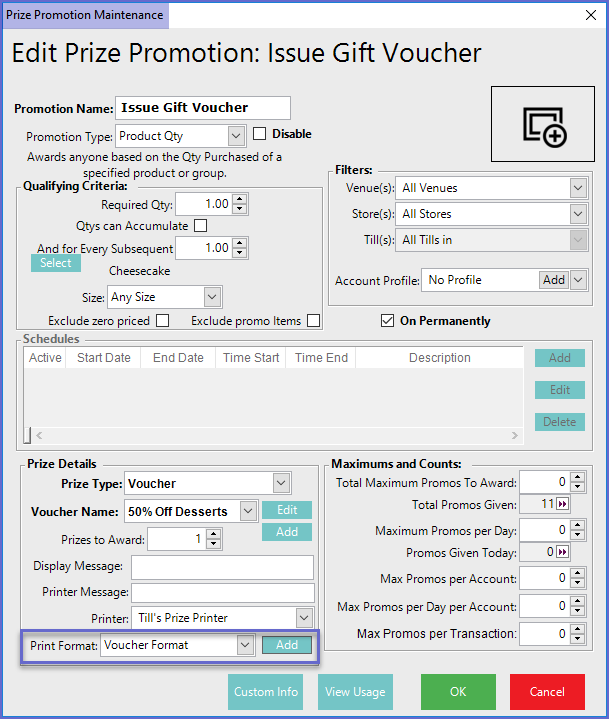
- To add a Printer Format to a Prize Promotion, go to Prize Promotion Maintenance
- Click on the Print Format Field of Prize Details section
- Operators can either select from the available list or Add a new format by Clicking on the Add button beside the Print format Field