
Introduction
- This article covers the basic principles of the three main methods of Stock Ordering/Receiving
- Bepoz also supports receiving electronic invoices, however, this feature is only available in Australia at this point in time and only for Suppliers that support this mode
- The main methods of receiving stock into BackOffice within Bepoz for Stock Control purposes are Manual Receipt, Manual Purchase Order and Automatic Purchase Order
- The orders can be based on different factors such as:
- Min Max - if below the Min order to the Max.
- Min - if below the Min order to the Min.
- Max - if below the Max order to the Max
- Sales - order a specific period's sales quantities e.g. previous week's sales or current month's
Prerequisites
- To access and edit Purchase Order Settings, the applicable Operator Privileges will need to be enabled:
- All "Purchasing and Receiving" Flags
- Operator Maintenance 'Stock Control' Tab
Getting Started
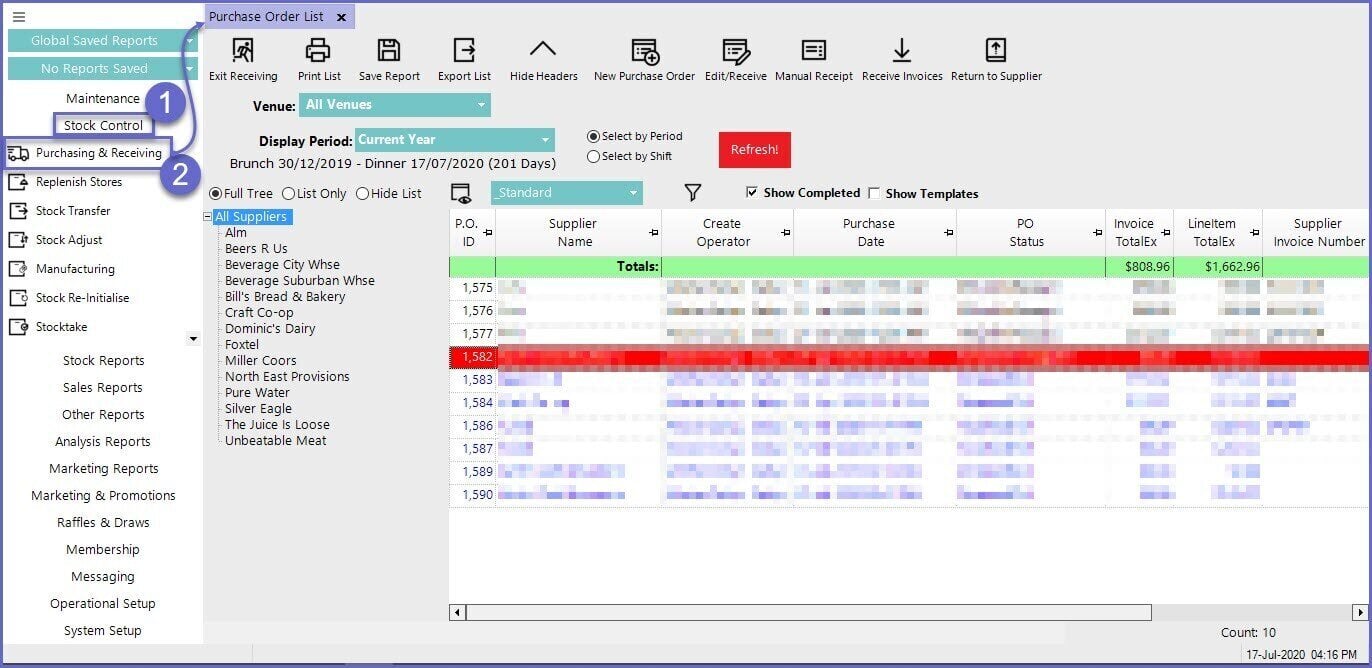
- To create a New Purchase Order or Receive an Order, follow these steps after logging into BackOffice
- Navigate to the Stock Control from the Side Menu
- Click on the Purchasing & Receiving option which will open a window titles Purchase Order List
General Options
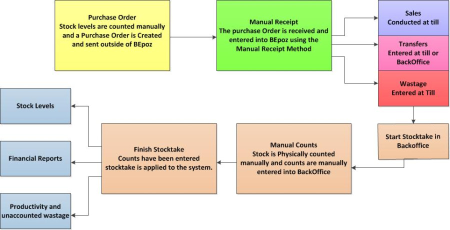
Workflows Manual Receipt Stock Flow
- The Manual Receipt method is the most rudimentary
- When a purchase order is placed with a supplier nothing is entered into BackOffice
- The stock and cost levels are updated by manually entering each receipt
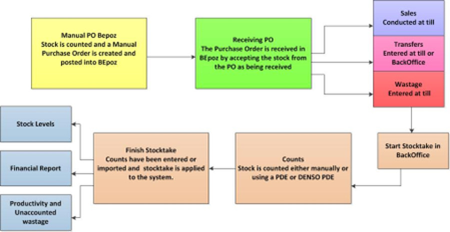
- The Manual Purchase Order enables operators to have more control over the ordering processes
- It entails entering the purchase orders into BackOffice and sending them to the supplier
- The stock is accepted by checking it against the existing Purchase Order
- This eliminates the possibility of double ordering and simplifies and speeds up the receiving process
- Automatic Purchase Orders are the quickest way of organising stock
- It involves setting the stock par levels (Minimum and Maximum) and ordering parameters for each product within BackOffice
- The Purchase Orders are then automatically generated in BackOffice
- The quantities in the auto P/O can be easily changed before being sent

Video Walkthrough