Overview
This step is required to understand how to get started with using the SmartPDE Mobile app and all the stock functions that it offers.
Prerequisites
- Minimum Bepoz version of 4.7 and onwards
- Completion of SmartPDE Mobile App Setup
SmartPDE Mobile Homepage
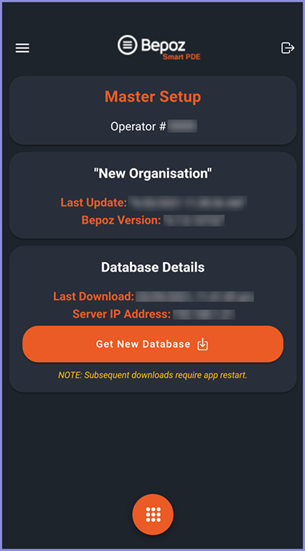
- After logging into SmartPDE Mobile with a valid Operator Login ID, you will be redirected to the Homepage of the App
- This showcases the Operator Details, Organisation Details & Database Details to the Operator
- There is a "hamburger"-style button on the top left which opens up a Menu
- This Menu contains the Functions & Settings Tab for the App
- There is a logout button on the top right of the homepage that takes you back to the Login Page of the App