
Stock Transfer Operator Privileges
I want my Stock Manager to be able to ‘POST’ and ‘Create New Stock Transfer’ for his venue only.
The config for this setup is down to the following Operator Privileges
-
Operator cannot be set to All Venues, needs to be specified for a Single Venue.
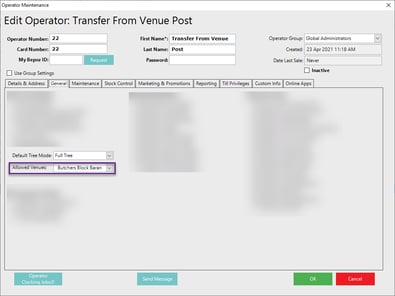
The Operator requires the:
-
Create Stock Transfers Flag
-
Post Stock Transfers Flag
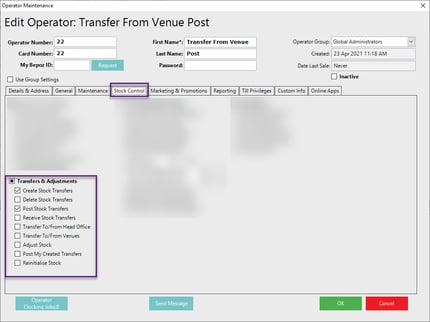
Note: As seen from the above screenshot the ‘Transfer To/From Venues’ is unchecked. If the operator now signs into his workstation, they have the ability to transfer goods between his specified Venue only.
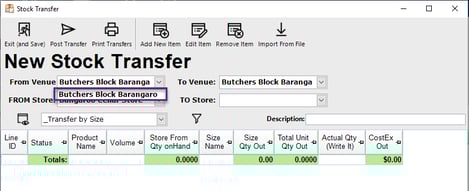
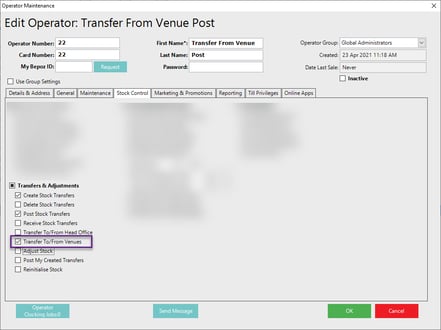
If the Operator also has the ‘Transfer To/From Venues’ Enabled, then they have the ability to transfer goods to all venues within his Multivenue organisation.
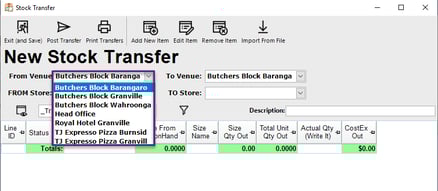
 Example of Venues in the Stock Transfer View
As a Bar Manager I would like the ability to Receive my Xfer only.
The config for this setup only requires the following flag
-
Receive Stock Transfers
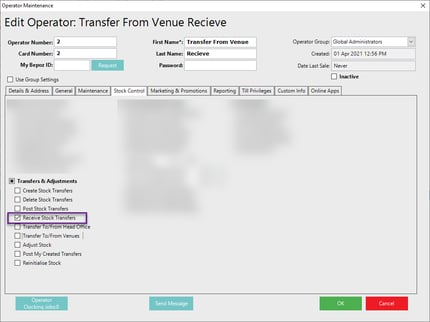
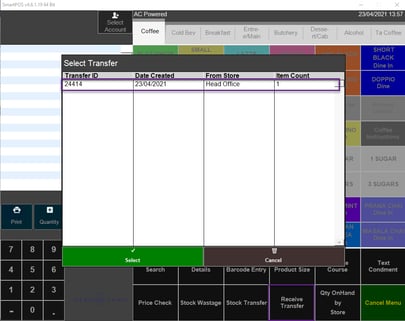
This gives the operator the ability from SmartPOS or SMARTPDE to confirm that the Transfer has been received.
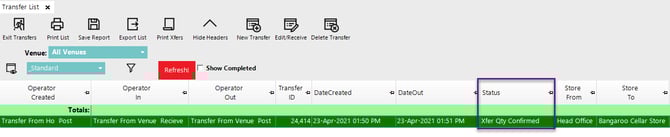
Once Received the Transfer is highlighted as Green within Backoffice and a Status of ‘Xfer Qty Confirmed’, this does not mean the Transfer has been fully posted.
I want my Stock Manager to be able to ‘POST’ and ‘Create New Stock Transfer’ from an assigned venue and Head Office.
The config for this setup is down to the following Operator Privileges
-
Transfer To/From Head Office
-
The operator needs to be assigned to a single venue
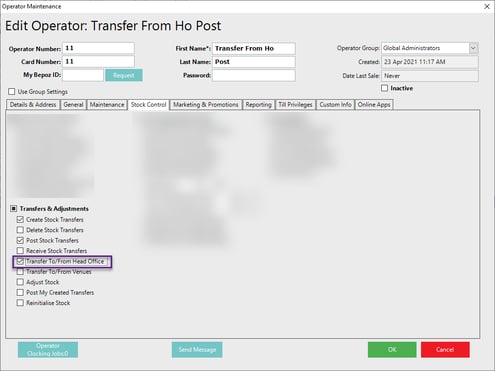
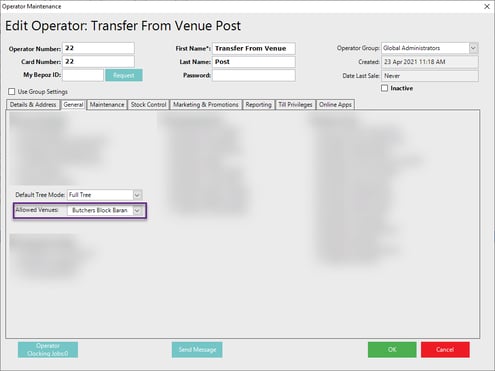
This now gives the operator the ability to Transfer goods between his assigned venue and the Head Office
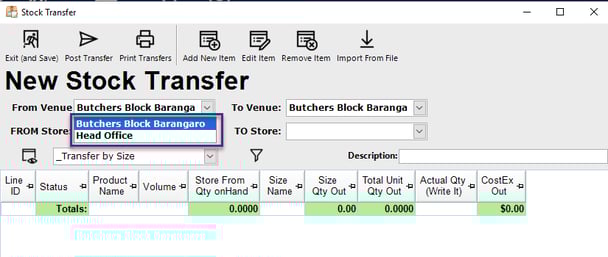
NOTE: If an Operator is assigned to ‘All Venues’ the ‘Transfer To/From Headoffice’ and ‘Transfer To/From Venues’ become irrelevant as an Operator has access to ‘All Venues’ which cannot be limited.