Overview
Once you have logged into BackOffice, and if you have the Operator privileges, you can change your Operator Password.
Prerequisites
- Operator Privilege to access BackOffice
- Operator Privilege to Edit Operators
Procedure
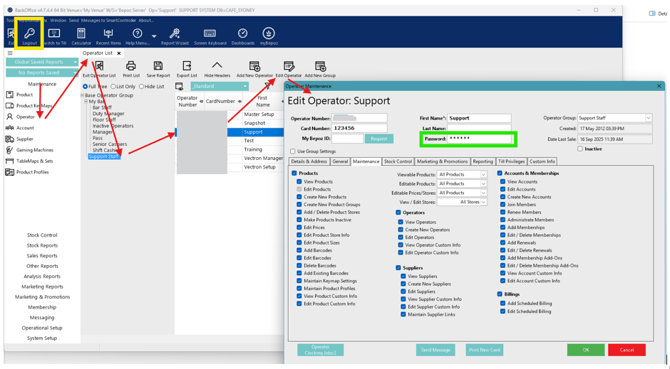
- Go to Maintenance section
- Click Operator
- Find your Operator Group and Operator and Highlight it
- Double-Click to Edit or click Edit Operator
- Delete anything in the Password (green box) field
- Type in your new Password
- Click Logout (yellow box) then Login again with your new credentials